PPV Live Streaming Guide
PPV Live Streaming Replay Access: The Simple Setup Guide
One of the easiest ways to improve a paid live event is also one of the most overlooked: make replay access part of the plan before you go live. For many creators, the real question is not just how to sell a live ticket, but how to keep the event earning attention after the stream ends.
Premstream is built for this model, with live event access, replays, premium video, promo codes, and customer purchase information all in one place. That means you can turn a single pay-per-view event into a cleaner customer experience and a longer revenue window. If you are building your next event, start by exploring the platform features here: Premstream onboarding features.
This guide walks through a practical setup for replay-based PPV streaming so viewers know exactly what they are buying, where to watch it, and how long they have access.
1. Decide what the replay is supposed to do
Before you set anything up, define the role of the replay. A replay can be a simple backup for people who missed the live show, or it can be a second sales opportunity that keeps converting after the event.
Choose one primary replay goal
- Missed-live recovery: give ticket buyers a second chance to watch the event on their own schedule.
- Extended sales window: keep selling access after the broadcast ends.
- Premium upsell: bundle the replay with extra content such as bonus footage, a Q&A, or downloadable materials.
When you choose a single main goal, the rest of your setup becomes easier. Your marketing copy, checkout messaging, and post-event emails can all reinforce the same promise.
2. Set clear access rules before tickets go on sale
Confusion usually starts when viewers do not know whether replay access is included. Be explicit on the event page before anyone pays.
Answer these four questions in your event description
- Does the ticket include the live stream only, the replay only, or both?
- How long will replay access remain available?
- Is replay access immediate after the live event or delayed until processing is complete?
- Will buyers need the same account or email used at checkout to watch later?
Premstream’s FAQ says live-event buyers get access to the live stream and the replay for at least 14 days, and that replays may take time to process after a live stream ends. Source: Premstream FAQ. Use that expectation in your messaging so customers know what to expect and your support inbox stays quieter.
Tip: if the replay is a major part of the offer, mention it in the first line of the event page instead of hiding it in the fine print.
3. Build the checkout flow around the replay promise
The best replay setup is one that feels invisible to the viewer. They should buy once and understand exactly how access works from that moment onward.
Make the purchase path easy to follow
- Use one event page for the live show and replay access details.
- State the device options clearly so people know they can watch on desktop, laptop, smartphone, or tablet.
- Explain how buyers return later by signing in with the same email used for purchase.
- Remind them where to find access in their order confirmation and My Orders area.
Premstream notes that viewers can watch in a web browser on desktop, laptop, smartphone, or tablet, and that buyers can access purchased content through My Orders or their order confirmation email. Source: Premstream FAQ. That is useful because replay access works best when the viewing instructions are simple enough to remember a week later.
4. Use promo codes to segment your audience
If you want replay access to serve different viewer groups, promo codes are a practical tool. Instead of making one generic offer, you can create a cleaner buying path for specific audiences.
Useful promo code setups
- Early-bird code: reward people who buy before the event starts.
- Partner code: give guests, sponsors, or collaborators a unique code to share.
- Replay-only code: offer a lower-friction option for people who missed the live stream.
- VIP code: bundle replay access with extra premium content.
This approach is especially useful for creators who serve more than one audience at once. For example, a fitness coach might sell one code to live participants and another to people who want the workout replay and class notes later. A music creator might use a code for superfans who want the full performance plus bonus content. The replay becomes part of a clearer offer, not just an afterthought.
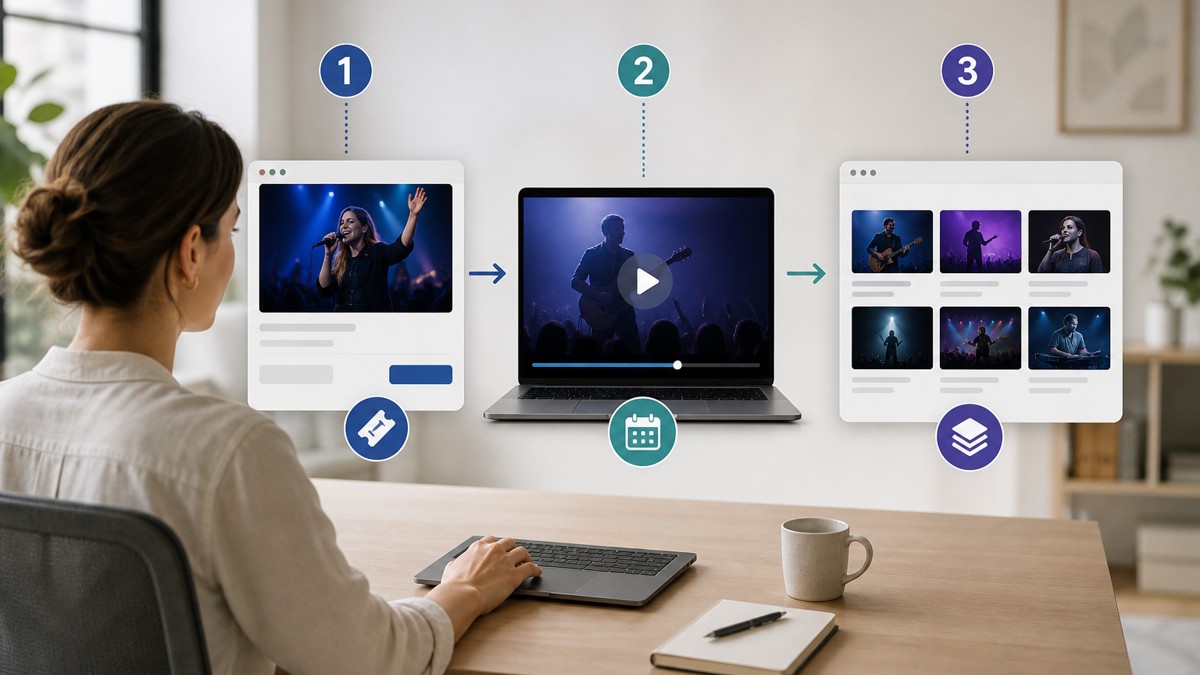
5. Write post-event messaging before the stream starts
Many creators wait until after the broadcast to think about replay promotion. That usually leads to rushed emails and weak follow-up. Instead, draft the messages in advance.
Have these messages ready
- Go-live reminder: send just before the stream begins.
- Replay available notice: tell buyers when they can watch again.
- Missed-it message: invite people who skipped the live show to buy access to the replay.
- Last-chance reminder: if your replay window is limited, send a clear expiration reminder.
Premstream supports access to customer purchase information, which can help you identify who bought, who watched, and who may need a reminder. That makes follow-up more relevant and less generic.
6. Organize the replay like premium content, not leftovers
A replay should feel intentional. If the viewer lands on a messy page with no context, the value of the event drops fast. Treat the replay listing with the same care as the live event page.
What to include on the replay page
- A short description of what the viewer will see.
- The event date and original live context.
- Any included bonus content or extra materials.
- A simple note about how long replay access lasts.
This is where premium video works well. You can separate a one-time live event from evergreen paid content, or use the replay as part of a larger premium library. That gives your audience a reason to buy now and a reason to return later.
7. Test the customer journey end to end
Before launch day, walk through the entire experience like a buyer. This is the quickest way to catch confusing details.
Test these steps yourself
- Open the event page on desktop and mobile.
- Check whether the replay terms are visible without hunting.
- Complete a test purchase if possible.
- Confirm the order email is clear and easy to follow.
- Look for the stream through the same account or email flow your customers will use.
If anything feels unclear to you, it will likely confuse customers too. Fix the wording before the event goes live.
FAQ
Do I need a separate event for the replay?
Not always. Many creators can keep the replay attached to the original event as long as the access rules are clearly explained.
Should replay access be free for ticket buyers?
That depends on your offer. Some creators include it automatically, while others use replay access as part of a premium tier or limited-time upsell.
How long should replay access stay available?
There is no universal rule. Choose a window that fits your content, your audience, and how long you want the event to keep selling.
What is the biggest mistake with PPV replays?
The biggest mistake is assuming viewers will understand access rules without being told. Clear messaging prevents most support issues.
Conclusion
Replay access is one of the most practical ways to make PPV live streaming more profitable and easier for customers to use. When you define the replay’s purpose, explain access clearly, prepare your post-event messages, and test the buying flow, your paid stream becomes much more than a one-night event.
If you want a simpler way to manage live access, replays, premium video, promo codes, and customer purchase info in one place, explore Premstream’s onboarding features here: https://www.premstream.com/Onboarding/Features.
Use replay access to extend the life of every paid stream, not just the length of the show.